
To find out the URL for retrieving the video, please first call up the web interface of your camera in a browser.
You can then use the images from the web interfaces of the individual cameras below to determine which camera you have. The link below the picture will then take you to an overview with the URLs for the different video streams and the default credentials for your camera.
You will also find the MAC address of the respective camera below the individual images. You can also use the MAC address to find out which camera you exactly have.
NOTE:The information here only applies for cameras that were purchased directly from Telecom Behnke GmbH!
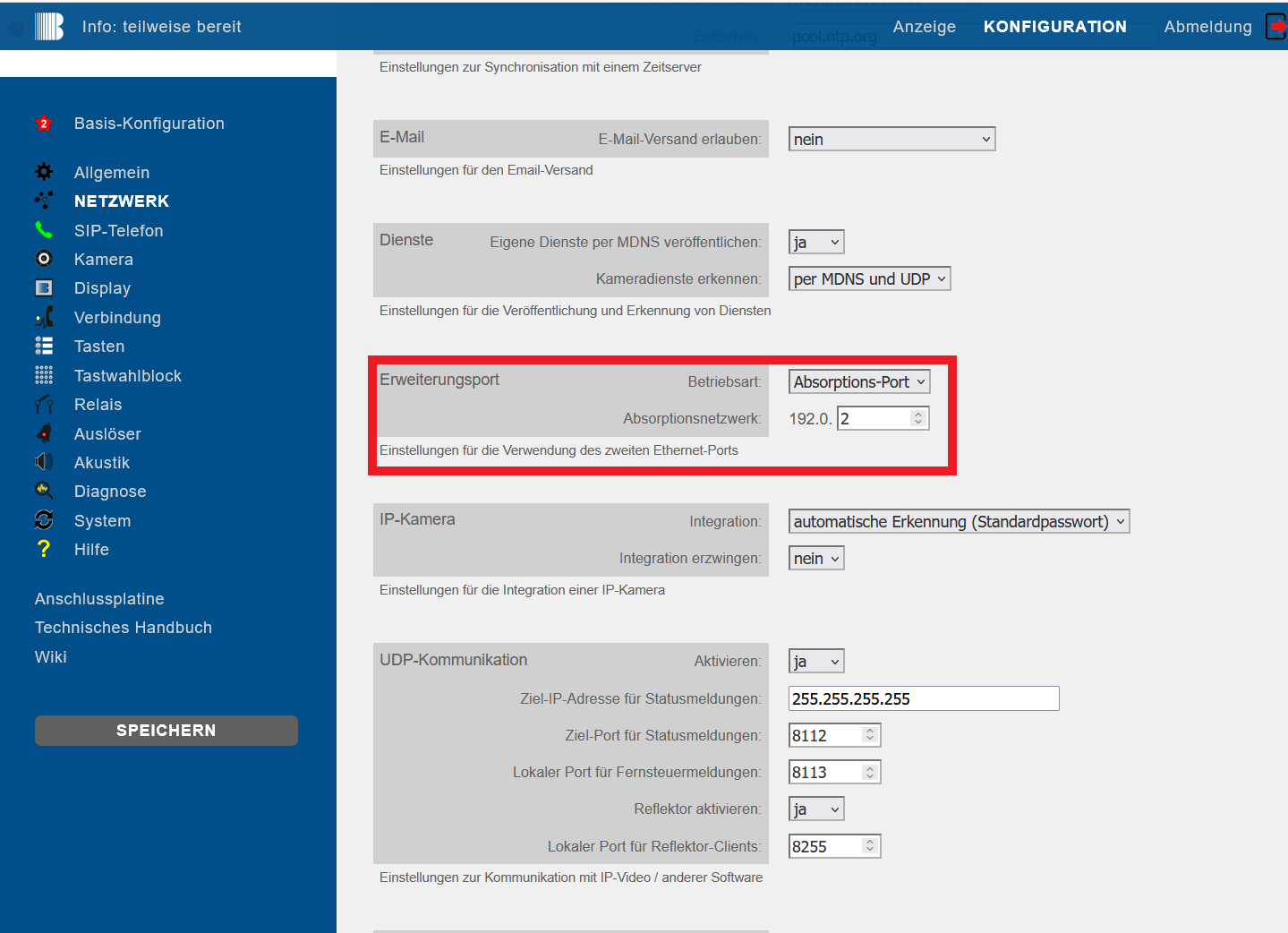
The camera's IP address is required to access a video stream or JPG. It is provided by the Behnke Station, provided the station's expansion port is set to the absorption port. This is also the default setting in the Behnke Station.
-
The setting can be found on the web interface of the Behnke Station under Network/Expansion port.
-
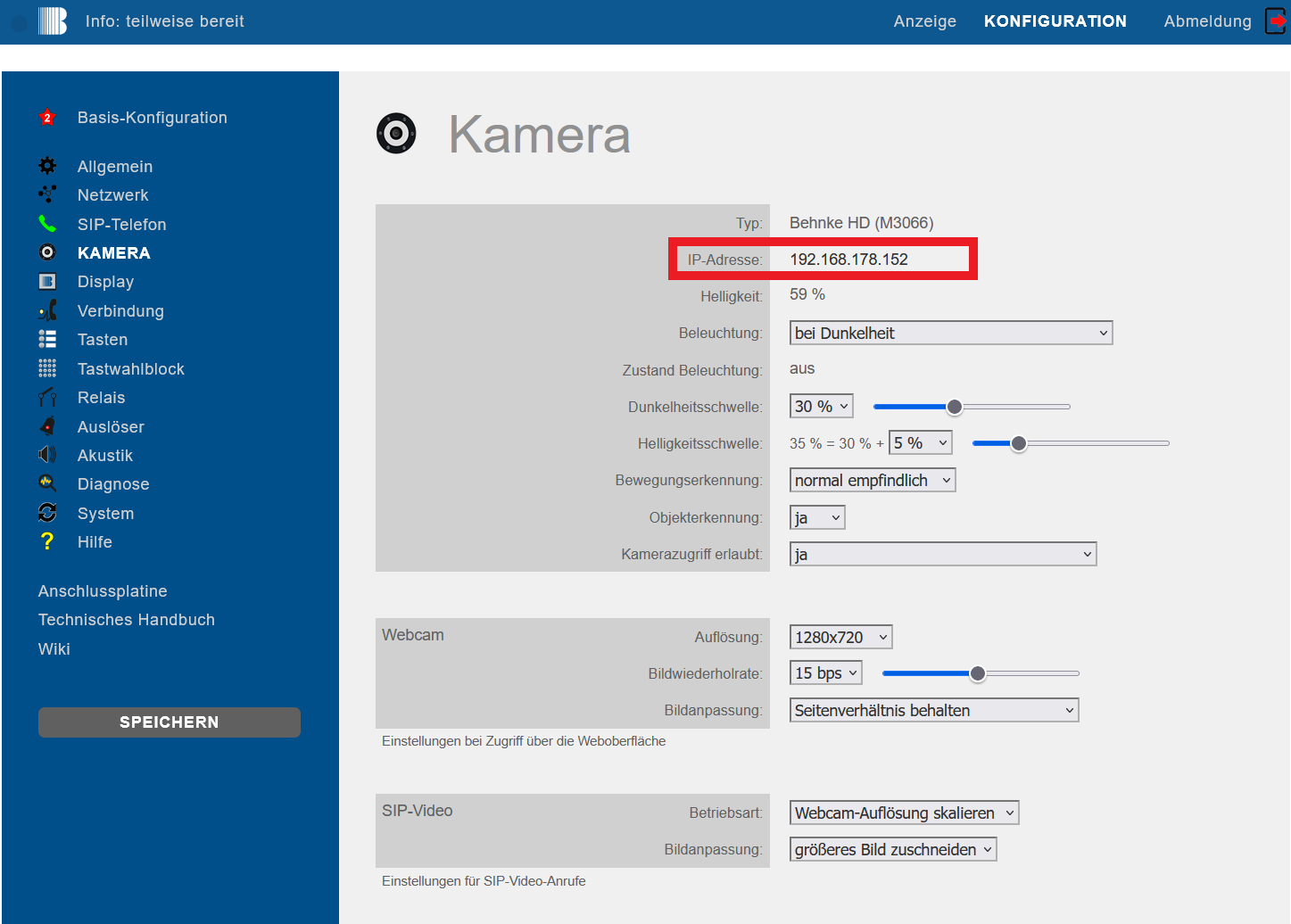
If the expansion port of the Behnke Station is set to Ethernet port or absorption port, you will find the IP address on the web interface of the Behnke Station under the menu item Camera.


Caution
The information found here applies only to cameras that were purchased directly from Telecom Behnke GmbH!
- System camera of a Behnke Station (delivery date from 2023)
- Axis camera (delivery date from 2012)
- Behnke Smart camera (delivery date 2017-2022)
- Behnke IP camera (delivery date up to 2013)
1. System camera of a Behnke Station (date of delivery as of 2023):

MAC address: F8:1C:E5:1X:XX:XX
URL and credentials for a system camera of a Behnke Station
2. AXIS camera (date of delivery as of 2012):


MAC address:
- AC:CC:8E:XX:XX:XX, or
- 00:40:8C:XX:XX:XX, or
- B8:A4:4F:XX:XX:XX
URL and credentials for AXIS cameras
3. Behnke Smart camera (date of delivery 2017-2022):

MAC address: F8:1C:E5:FX:XX:XX
URL and credentials for Behnke Smart cameras
4. Behnke IP camera (date of delivery till 2013):

MAC address: 00:50:C2:XX:XX:XX
URL and credentials for Behnke IP cameras