
Configuration guide innovaphone® Cloud System
1. Configuration guide
This configuration guide describes how to set up a Behnke Station as a SIP extension of an innovaphone® cloud PBX. We are assuming that the basic configuration of the innovaphone® cloud PBX has already been done, and we will only describe the steps required to register the Behnke Station with innovaphone®. We also assume that the Behnke station has already been integrated into the network and can be accessed via the IP address in a browser. It is assumed that the Behnke-Station is already set up to the extent that access to the web interface is possible. If this is not the case, please follow the instructions provided with your base electronics (manuals) and refer to the technical manualRecently updated — within the last 72 hours to complete the basic setup.
1.1. Creating a user in the Innovaphone system for the Behnke Station
For each Behnke Station you'll have to add an "Unprovisioned SIP Device". Since you can only create provisioned devices on the system yourself, please contact innovaphone® support first. They can set up the desired number of unprovisioned end devices for you. You will then receive the corresponding SIP registration information for these devices by e-mail.
Alternatively:
- Navigate to the path shown below in the system and create a new user for the Behnke Station

- Enter the new user information as shown below:

1.2. Information about the Innovaphone system
The information shown below is relevant for later registration of the Behnke station on the Innovaphone PBX:

1.3. Configuring the Behnke Station
-
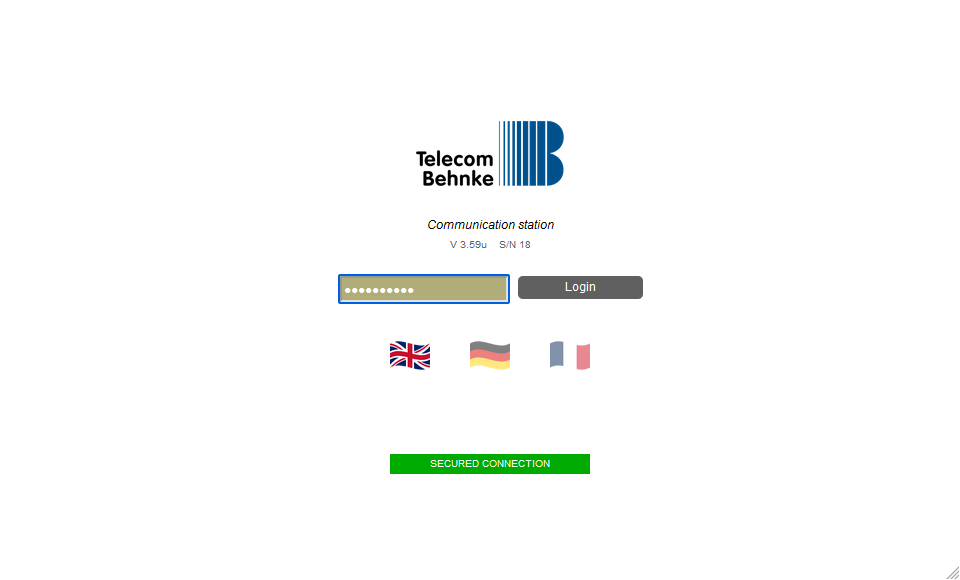
Open a new tab in your browser, enter the IP address of the Behnke Station in the address bar and log in.
-
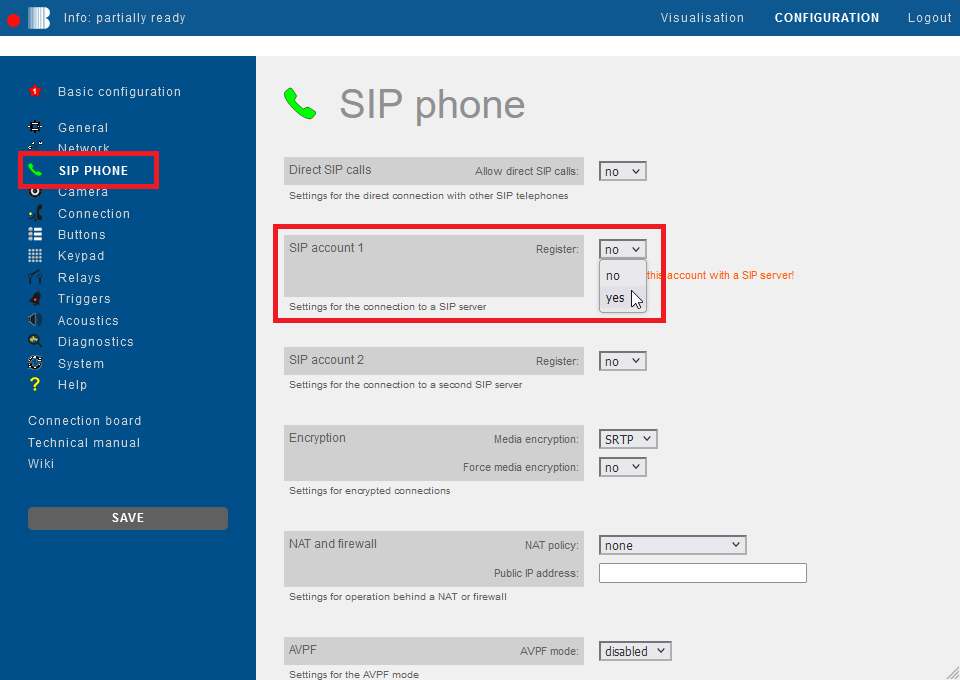
Click on "SIP Phone" in the menu. Scroll down to "SIP account 1" and select the option "yes" for "Register".
-
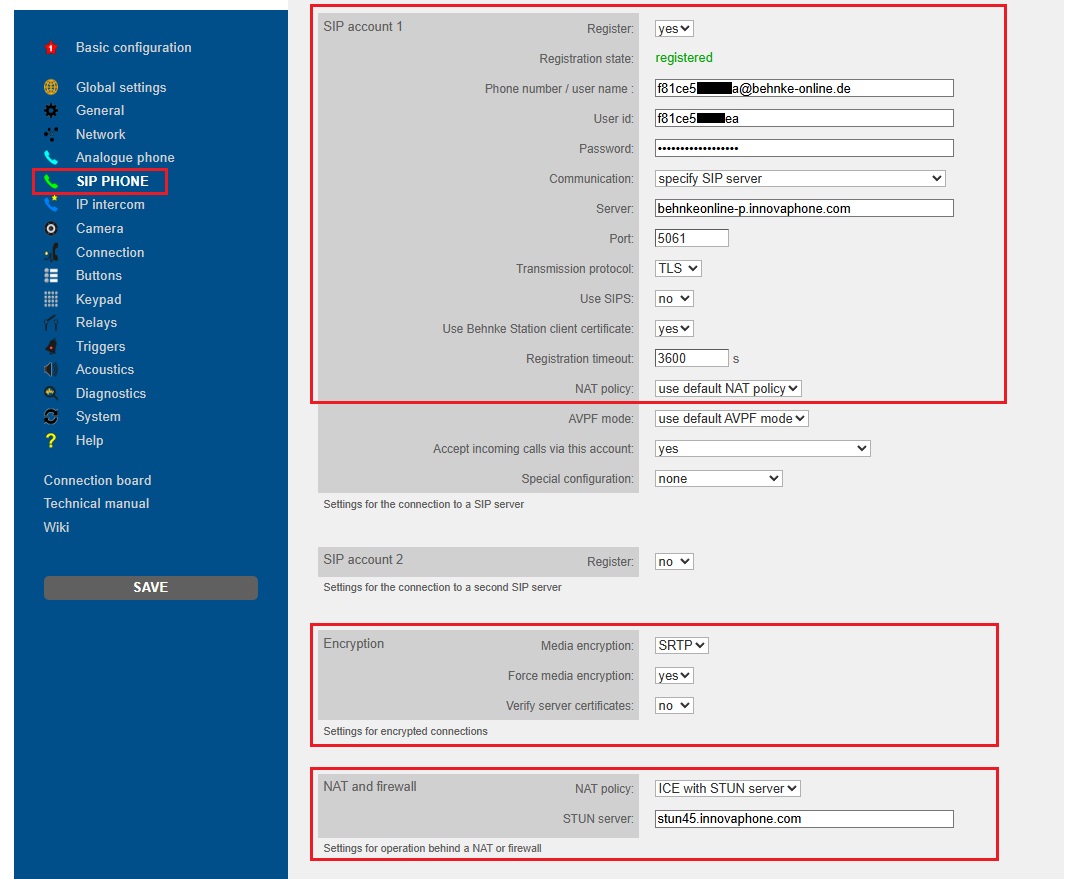
Then fill in the fields with your innovaphone® SIP credentials as follows and click "Save" on the left.
Field Behnke Station Value for innovaphone® Phone number/user name innovaphone®-hardware-ID@your domain from innovaphone®.com User ID innovaphone® hardware-ID Communication specify SIP ServerPassword innovaphone®- password Server <your individual-innovaphone®-server>-p.innovaphone.com Port 5061 Transport TLS use Behnke Station client certificate yes Encryption Value for innovaphone® Media encryption SRTP Force media encryption yes NAT and firewall Value for innovaphone® NAT policy ICE with STUN Server STUN server stun45.innovaphone.com If the registration was successful, the "Registration state" changes to registered.
-
The values from the Behnke test are shown again below as an example of encrypted communication:
-
Note: If the remote station does not support media encryption, it can also be disabled in the Behnke station (SRTP: "no").
-
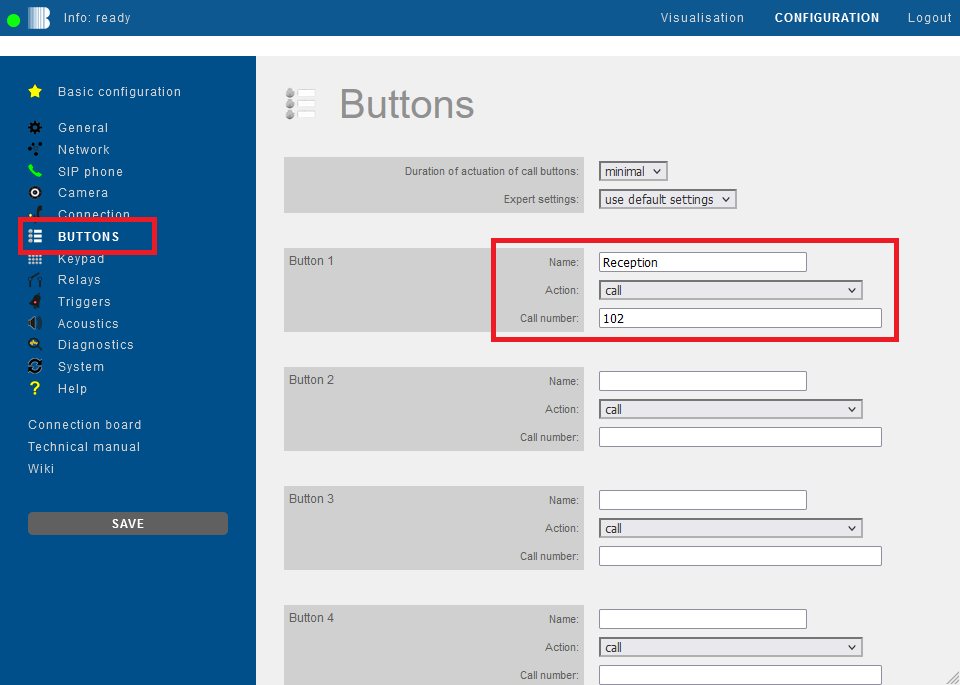
Then click "Buttons" in the menu on the left. For the desired call button enter the extension number or phone number that is to be called when the button is pressed. Then click "Save" on the left.
-
Open your browser
-
Access the Behnke Station web interface
-
Log in


- Click the

- Navigate to the SIP Account 1 or SIP Account 2 section.
- Set the Register option to yes


- Use the assignments from the following table and enter the information in the corresponding input fields (in the SIP Account 1 section, if applicable SIP Account 2) of your Behnke station.
- Open your browser
- Go to the web interface of the Behnke Station
- Log in

2. Trouble shooting
-
Please ensure that your Behnke station's software for TLS SIP registration with the innovaphone® Cloud is at least version 5.74 or higher.
-
TCP registration with the Innovaphone is also possible, if desired. Proceed as described above and simply change the two configuration values for transport protocol to "TCP" and the port to "5060."